Login and Dashboard
Logging in to the DMP Tool for the first time
You can access the online DMP tool by clicking here or entering the following URL:
https://dmp.auckland.ac.nz/
The DMP Tool is available to staff and students with University username and password, as well as collaborators at other New Zealand Universities and research institutions via the Tuakiri login.
To log in:
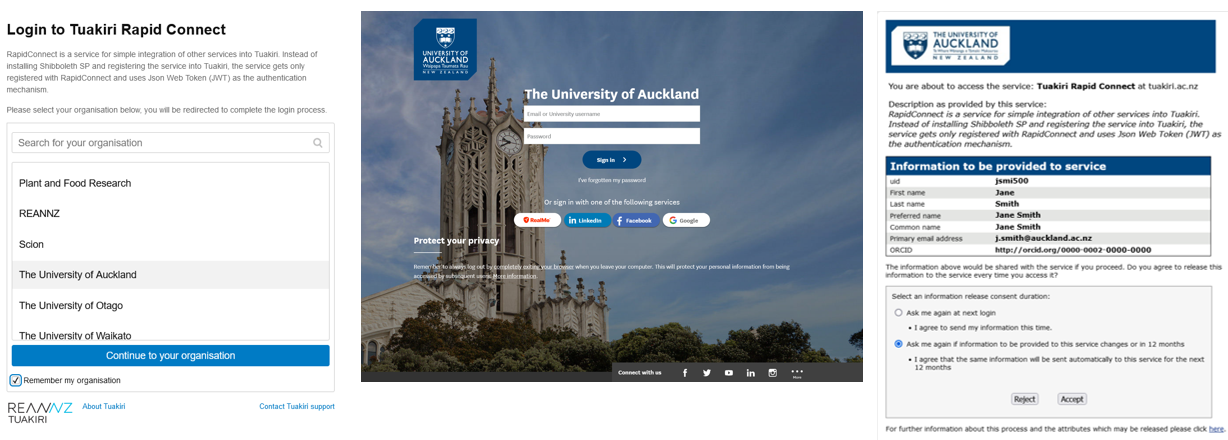
- Select your organisation (The University of Auckland) and click
Continue to your organisation. Select Remember my organisation if you want to skip this step in future visits. - Sign in with your University of Auckland username and password and enter your Two-Factor Authentication code.
- Select an information release consent duration on the final page and click Accept.
Home page dashboard
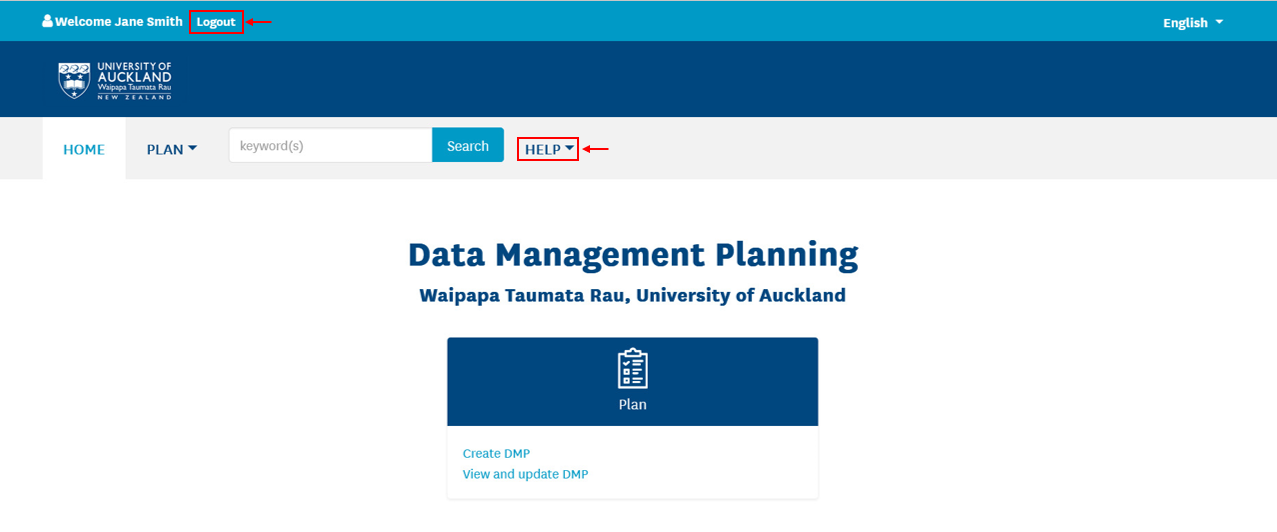
Once logged in, you will see the home page dashboard showing the PLAN tile.
- You can access this User Guide and additional support via the
HELPmenu. - You can log out of the DMP tool by clicking Logout at the top of this page.