View and Update your DMP
As a living document, you can save, exit and return to your DMP anytime.
You should review your DMP at least once a year, and at any time you make major changes or progress (for example, obtaining ethics approval, collecting new data, using new software or code to analyse your data).
Access your current DMPs
To see a list of current plans:
- Click VIEW AND UPDATE from the
PLANmenu, or - Click View and update DMP from the PLAN tile box on the dashboard
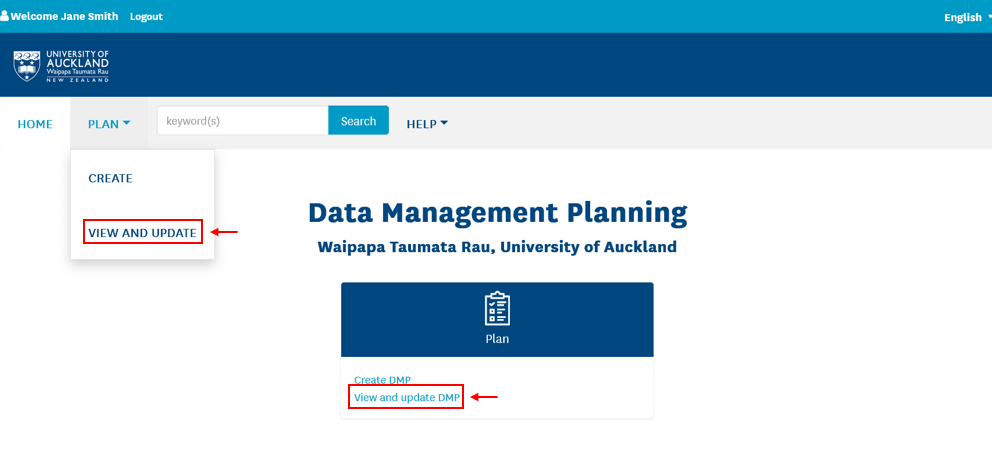
This opens a page that lists any DMPs you have permission to edit.
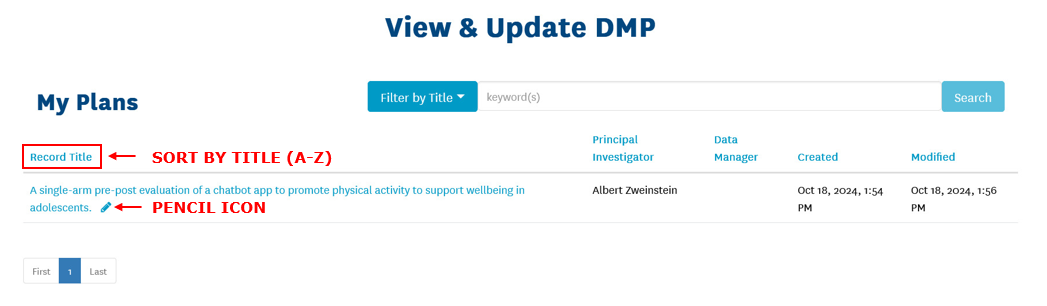
You can sort the list by clicking the headings (Record Title, Principal Investigator, Data Manager, Created. Modified).
View an existing DMP
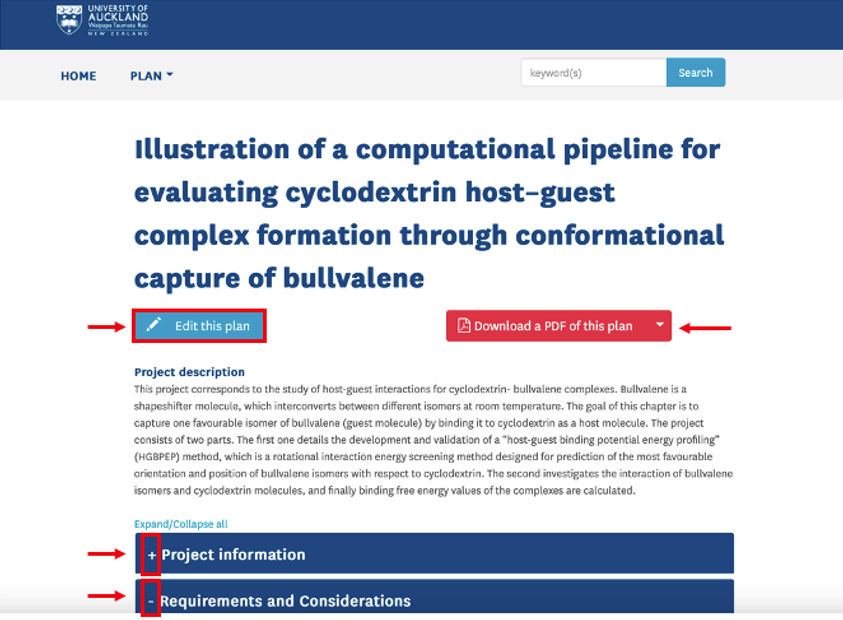
From the View and Update DMP page, click the DMP record title. This will open a view of the DMP information and sections, where you can:
- View DMP information entered in each section. Each section is a collapsible tab – to open or close a section, click on the
+or–icon next to the heading. - Export a copy of the current version of the DMP.
Edit an existing DMP
Click on the pencil next to the DMP title to open and edit the DMP form. This will open the DMP form for you to continue entering information.